High contrast · plain · direct
Clear View
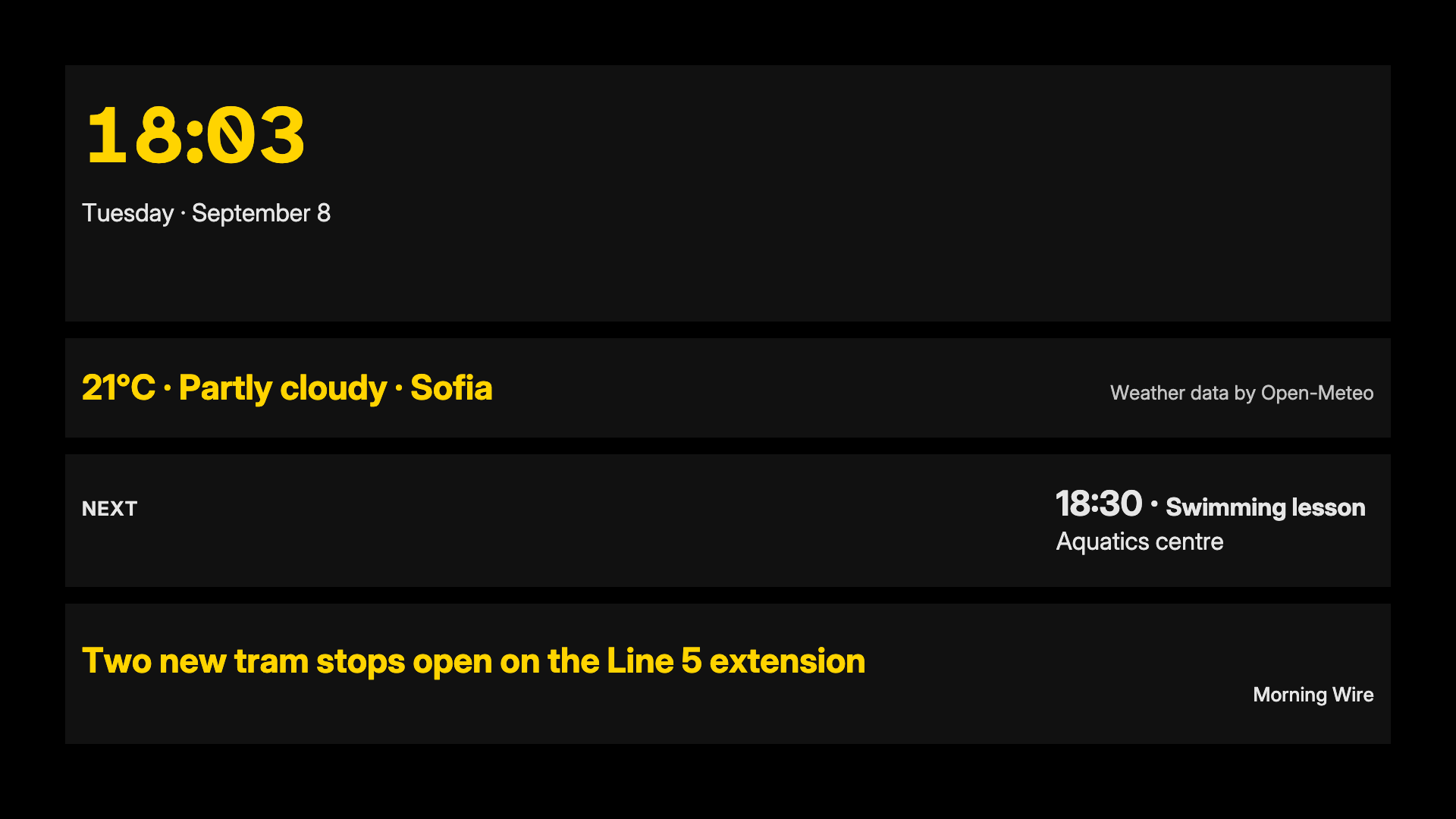
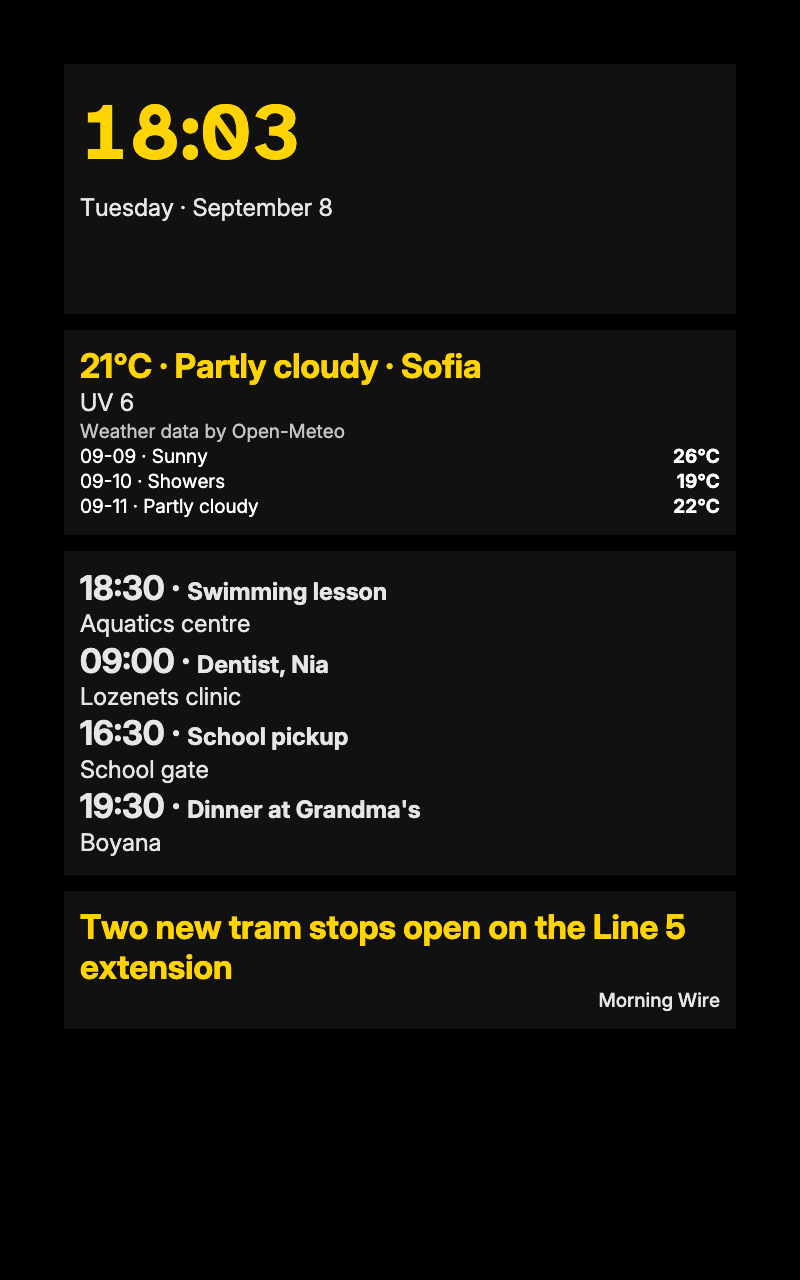
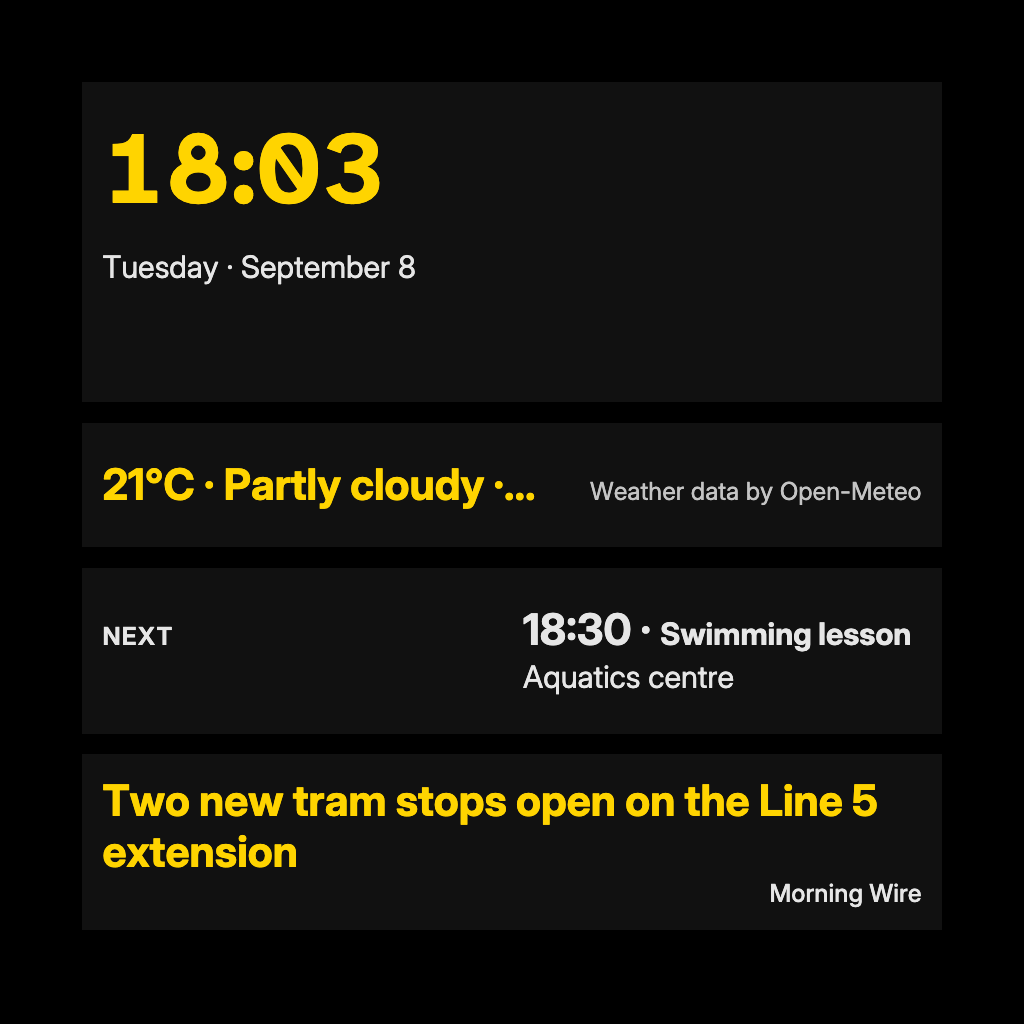
White on black with a signal-yellow accent, the most contrast a screen can give. For clearer numbers too, choose Numerals: Legibility face in the screen's settings.
For anyone who needs the plainest, most readable screen: a screen across a large room, bright daylight, or eyes that need more contrast. Clear View is white on black with a signal-yellow accent; every colour pair clears 7:1. It needs no source of its own, and the legibility face in a screen's settings makes the numbers clearer still.
By Denframe · version 1.0.0 · MIT
From the Denframe Library · not part of the app. Add it to your Denframe. This website does not connect to or control your home.
Add it to your Denframe
Opens Clear View in your own Denframe's Library, where you choose Get. Only its id is in the link: nothing about your home comes here.
In Denframe: Studio → Library → Get more → Add by id.
- Denframe in Home Assistant opens only through Home Assistant’s sidebar, which a link can’t reach: copy the id, then in Denframe choose Studio → Library → Get more → Add by id.
- The desktop app answers only on its own computer (127.0.0.1), at a port that can change: open Denframe from the app, then use Add by id.
- Your browser opens your Denframe’s address itself. Some browsers ask before a public website opens an address on your home network (Local Network Access): allow it, or use Add by id.
Make it yours
Add Clear View from Get more in Studio → Library, then choose Use this look on… The legibility face is a per-screen choice in the screen's settings.
What you need
- No source required for the look
Once it is added, open it in Studio → Library, then choose Use this look on…. Your sources and credentials stay on your own host.
Using the libraryLooking up the file…
Read the look specificationConsidered details
- White on black, with a signal-yellow accent
- Every pair clears 7:1; the accent reaches 13:1
- For the clearest numbers, choose Numerals: Legibility face in the screen's settings
Its colours
- Background · #000000
- Surfaces · #111111
- Text · #ffffff
- Quieter text · #e6e6e6
- Accent · #ffd400