A family dashboard that runs in your house
Denframe puts the household's day on a screen in the kitchen or hallway: calendars, the weather and what to wear, notes, tasks and groceries, and art between glances. It runs on one computer at home, with no Denframe account and no Denframe cloud.
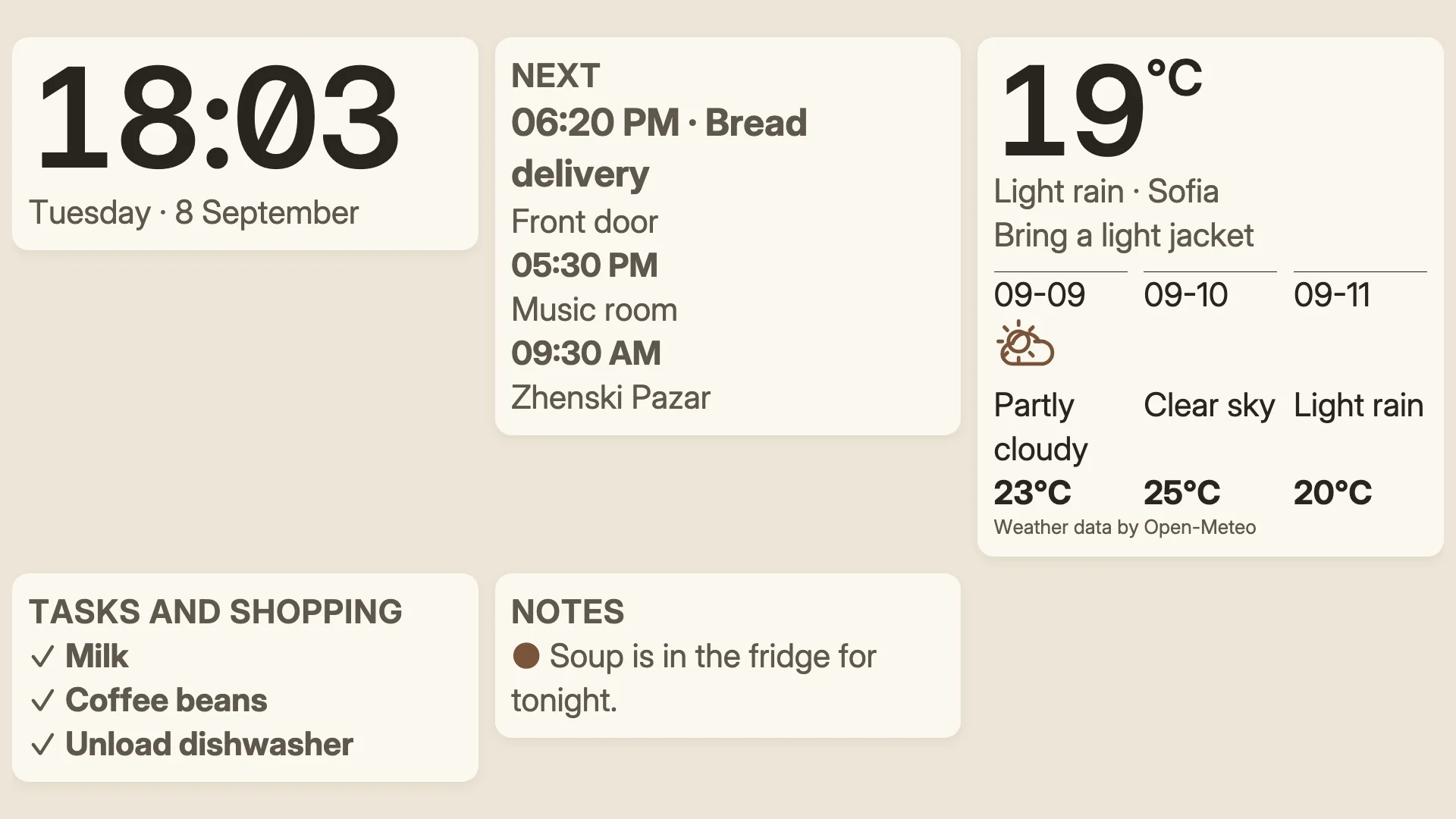
The Linen look with an agenda, a shopping list and a forecast, drawn by Denframe's renderer with synthetic sample data.
What the screen shows
Calendars
Google, Microsoft or any ICS feed, connected read-only. You choose which calendars a shared screen may show.
Weather and what to wear
Open-Meteo forecasts for a city you confirm, with optional clothing guidance.
Notes, tasks and groceries
Short family notes, routines and one list for chores and groceries, ticked off from a paired phone or an authorized touch screen.
Art between glances
Bundled, attributed public-domain artwork, served from your own host with no account.
The setup
1. A computer that stays on
Install Denframe Desktop on an Apple silicon Mac or a Windows 11 PC. Denframe is a small local web service that opens in your browser.
2. A screen you already own
Cast to a Chromecast, Google TV or Nest Hub on the same Wi-Fi, open Denframe in a TV or tablet browser and pair it, or pair a dedicated Android panel.
3. The Family Kitchen starter
Start from the Family Kitchen layout: time and weather, ready for your notes, calendar, tasks and meal plan. Preview it at the screen's real size before you show it.
What stays at home
- Listens only on the computer it runs on until you deliberately open it to your Wi-Fi.
- The household password is hashed on the device with PBKDF2 and never transmitted.
- Sign-ins become 12-hour sessions you can revoke; wrong passwords are throttled.
- Calendar credentials live only on the host.
- Disconnecting a calendar erases the credentials Denframe kept; also remove Denframe from your Google or Microsoft account's connected apps to revoke its access.
- Diagnostics and metrics stay on the device. Nothing phones home.
Try it at home
Free during the pilot and beta. Check that your screens work, follow the guide, then download.