Your family calendar on the TV you already own
Show today's and this week's plans on the living-room or kitchen TV, next to the time and the weather. Denframe reads your calendars on a computer at home and casts the view to the TV; the TV never needs your account.
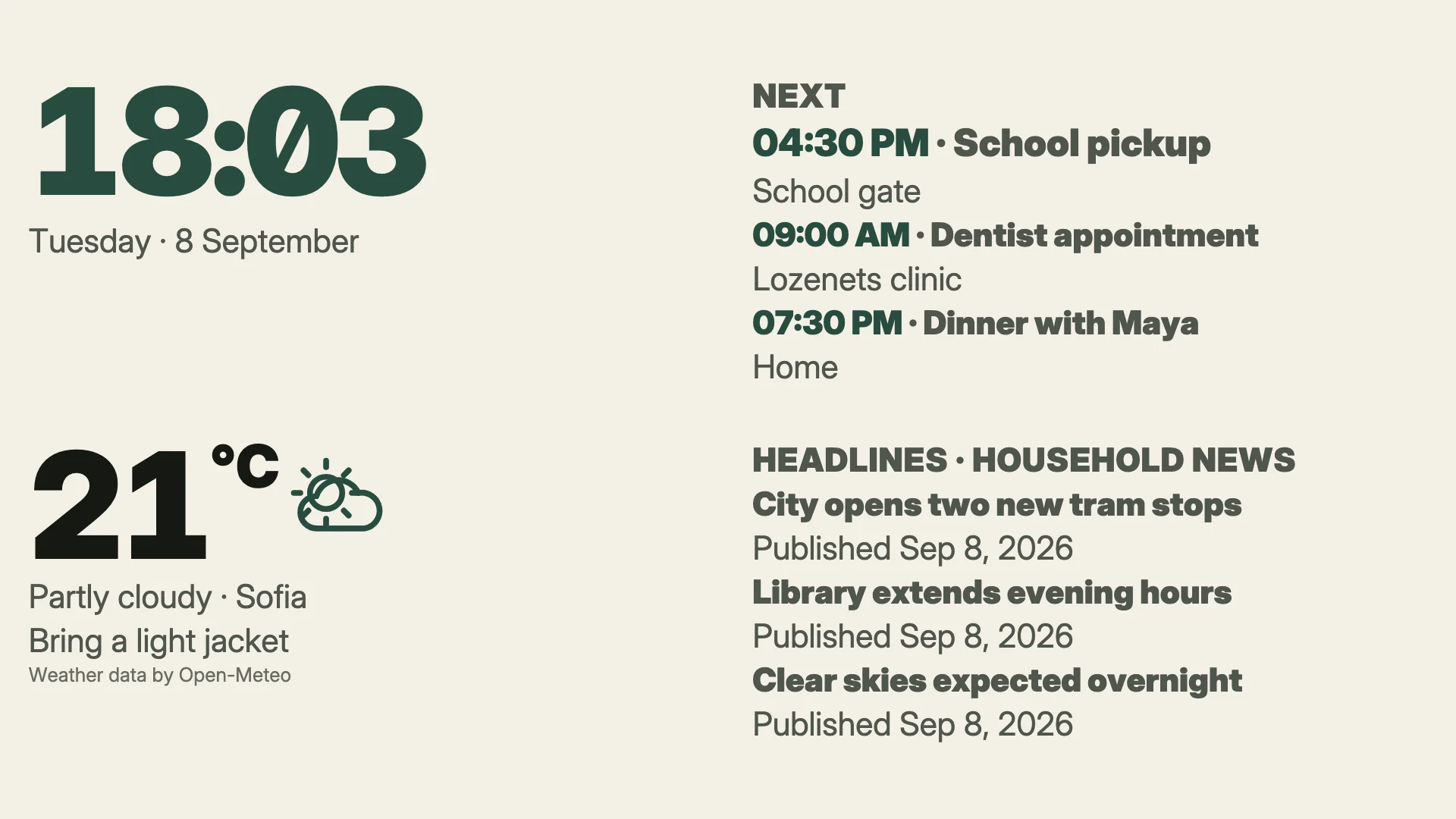
The Modern look with a clock, the next events, the weather and headlines, drawn by Denframe's renderer with synthetic sample data.
What the screen shows
Every family calendar in one view
Connect Google, Microsoft or ICS calendars read-only, then choose which of them each shared screen may show.
What comes next
The Day Ahead block puts the next event first, with a strong time column; the Week Ahead block, from the Library, shows the next seven days.
Private events stay private
Events marked private stay off shared screens unless you allow them.
Sized for the sofa
The editor checks what reads too small from where you sit and sizes text for the TV's viewing distance.
The setup
1. A computer that stays on
Install Denframe Desktop on an Apple silicon Mac or a Windows 11 PC on the same home network as the TV, then turn on LAN access so the TV can reach it.
2. The TV
Cast to a Chromecast or Google TV, or open Denframe in the TV's own browser and pair it once. Casting shows the dashboard one-way through DashCast until Denframe's own Cast receiver is registered.
3. A calendar layout
Start from the Family Kitchen starter or the Morning Edition layout, add your calendars, and preview it at the TV's real size.
What stays at home
- Calendars connect read-only: Denframe never writes to them.
- Credentials stay on the host computer and are never sent to the TV or to a Denframe server.
- Disconnecting a calendar erases the credentials Denframe kept; also remove Denframe from your Google or Microsoft account's connected apps to revoke its access.
Try it at home
Free during the pilot and beta. Check that your screens work, follow the guide, then download.