Follow headlines from publishers, websites or topics
Show the latest stories from a news publisher, from any website with a feed, or about a topic Denframe searches for, and mix up to four in one block.
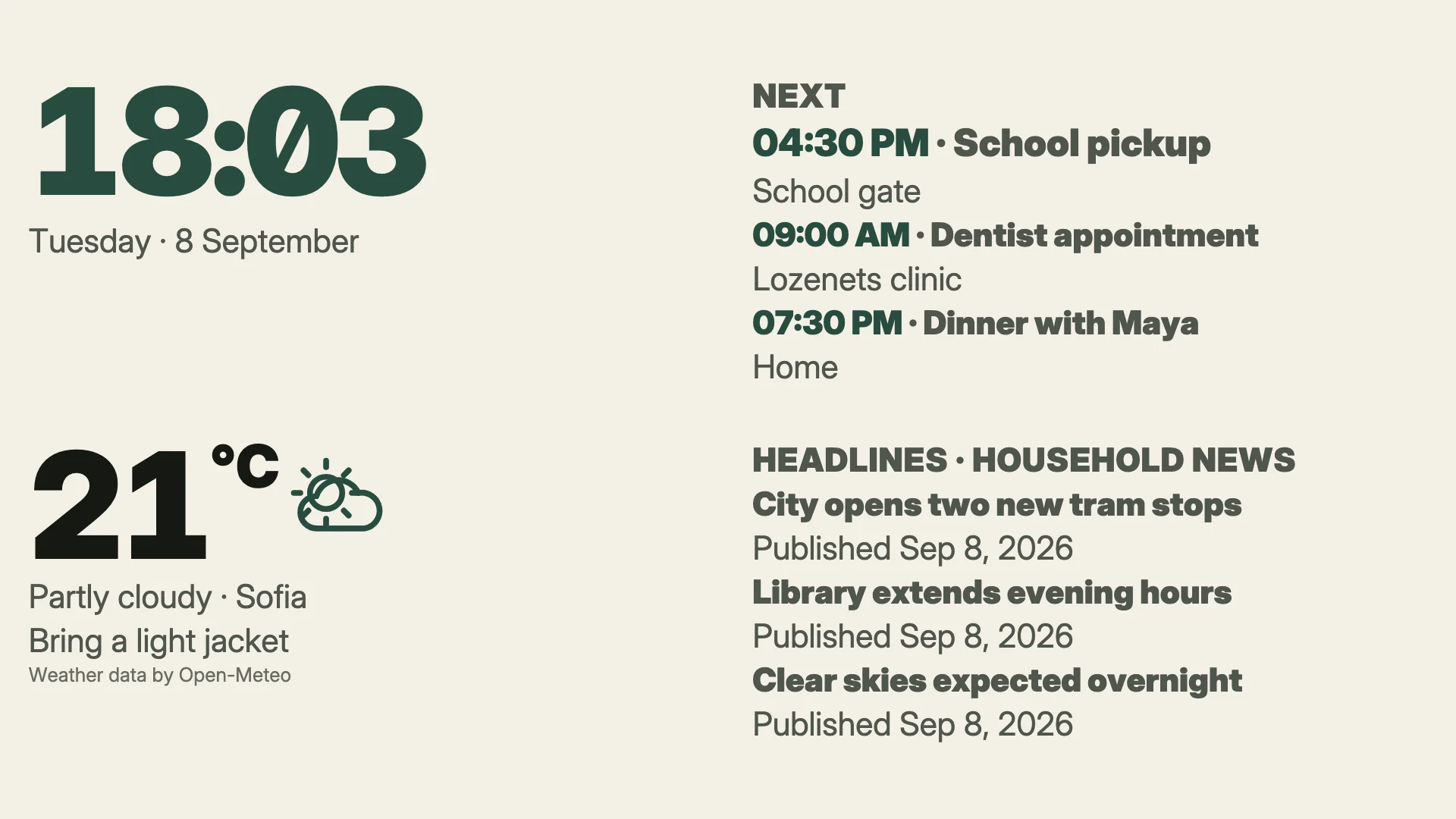
A Headlines block listing the newest stories, with pictures and summaries where it has room and each story’s source named.
- Denframe installed and running: see Install on macOS, Windows or Home Assistant.
- A dashboard to show it on: create your first dashboard.
- For a topic: a key for a news search, from Tavily (free plan) or Brave Search.
Follow these steps in your own Denframe. This website never connects to your household, your accounts or your devices, and never asks for your credentials.
Open the Headlines page
In Studio, open Sources, then Headlines, and choose Add headlines. The flow takes the whole window: choose where the headlines come from on the left, and what that would show appears on the right before anything is saved.
- A topic: any subject, from any site. It needs a news search.
- A publisher: a checked feed. No key is needed.
- Any website: paste a site’s address and Denframe finds its feed.
Pick a publisher
Choose A publisher. The chips narrow the list by region and subject, and each publisher says what its stories carry: pictures, summaries or titles only. The list includes BBC World, NPR News, The Guardian, NASA News, ESA Top News, Ars Technica, DW Top Stories, Al Jazeera and Hacker News.
Every feed in the list is checked before each Denframe release, and one that has stopped answering is fixed or replaced before the release ships. A feed that breaks between releases shows its problem on its page.
Or follow any website
Choose Any website, paste the site’s address in Website or feed link (a home page such as
bbc.co.uk/newsis enough) and choose Check. Denframe follows the page’s own feed links, or tries the places feeds usually are, and lists What Denframe checked, step by step. Give it a Name if you like.A site that turns feed readers away is named as such, with why retrying won’t help. Where the publisher list has a feed from the same site, the flow offers it.
Or search a topic
Choose A topic. The first time, choose Connect a news search, pick the Search service, paste its key and choose Save key. The key is checked with the service before it is kept, stored only on this Denframe and sent only to that service.
Service Plan Tavily Free: 1,000 searches a month, no card. Enough for one topic every hour. Brave Search A $5 monthly credit, about 1,000 searches. Needs a card on file with Brave. Then fill in Looking for with a few words, choose how recent under Fresh within (A day or A week), and choose Search to see its stories. Drop a site from them with its leave-out button, or under Leave out (up to ten sites).
A topic’s words and freshness go to the search service, and so do the sites it leaves out when that service is Tavily. Nothing else leaves the house: no screen, dashboard or household detail, and no record of which stories were shown. Denframe spaces each topic’s searches so the month’s searches last the month; when a topic is down to its last search, it pauses until the month renews.
Add it to dashboards
Tick the dashboards under Show on and choose Add headlines. Every way in is read or searched before saving, so Denframe never keeps a source that has never produced a story.
On the Headlines page, a feed’s Feed link and Checks every can change later; a topic’s Looking for, Fresh within and Leave out too. Stories kept sets how many it holds. The line under the page header shows each search key, with its searches left this month where the service says, and Manage keys replaces one.
Mix up to four in one block
In the dashboard editor, select the Headlines block. Under Content, Headlines from ticks up to four sources for this block. Their stories are listed newest first; a story two sources share shows once.
Stories, Pictures, Summaries and Take turns narrow what this block shows; they never add to it. Take turns moves through the stories that don’t fit, one at a time.
Check it worked
The block lists as many stories as fit, newest first, each with a dateline naming where it came from. Pictures are copies Denframe fetched itself: a screen never loads a picture from another site.
If it doesn’t work
The site turns feed readers away
Retrying won’t help. Choose a publisher the flow offers from the same site, if it offers one, or another source.
The feed is no longer at this address, or the address is a web page
Check the site for its new feed, then change the Feed link, or add it again under Any website.
The site’s feed is not written correctly, or has no stories
Denframe tries again at the next refresh; if it stays that way, choose another source.
The site didn’t answer, or asked Denframe to slow down
Nothing to do: Denframe tries again on its own, after the wait the site asked for.
The search service rejected the key
Use Manage keys to check the key with the service and replace it.
A topic says it is out of searches
The month’s searches are used. It resumes when the month renews, or connect the other service.
NASA JPL News stopped
JPL’s firewall turns feed readers away. The source offers a switch to NASA News; nothing changes unless you choose it.
The block disappeared
If the source has not answered for about 12 hours, the block steps aside. Check the source’s problem on its page.
An older screen shows three stories and no pictures
That screen reads the older headlines format, which carries at most three stories and no pictures. Other screens show the full block.